




- My Forums
- Tiger Rant
- LSU Recruiting
- SEC Rant
- Saints Talk
- Pelicans Talk
- More Sports Board
- Fantasy Sports
- Golf Board
- Soccer Board
- O-T Lounge
- Tech Board
- Home/Garden Board
- Outdoor Board
- Health/Fitness Board
- Movie/TV Board
- Book Board
- Music Board
- Political Talk
- Money Talk
- Fark Board
- Gaming Board
- Travel Board
- Food/Drink Board
- Ticket Exchange
- TD Help Board
Customize My Forums- View All Forums
- Show Left Links
- Topic Sort Options
- Trending Topics
- Recent Topics
- Active Topics
Started By
Message
re: Question for LSU Engineering students (re:laptop)
Posted on 7/30/18 at 10:11 am to TheHarahanian
Posted on 7/30/18 at 10:11 am to TheHarahanian
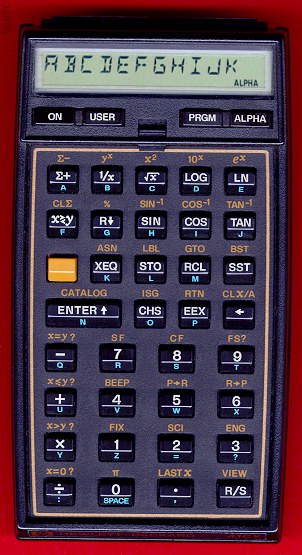
Back in the day...
 0
0



Posted on 7/30/18 at 10:13 am to TigrrrDad
I’m working as an Engineer now and just bought an MSI gaming laptop to be my laptop for engineering software.
It doesn’t have a CDR but I just bought an external one for $40 to use when I need it.
It doesn’t have a CDR but I just bought an external one for $40 to use when I need it.

Posted on 7/30/18 at 10:16 am to TigrrrDad
Just buy him the cheapest one so you don’t waste your money when he ends up changing majors
Seriously though the kind you buy really doesn’t matter. Any basic laptop is fine. All the heavy stuff he will have to do he has to use the school computers anyways
Seriously though the kind you buy really doesn’t matter. Any basic laptop is fine. All the heavy stuff he will have to do he has to use the school computers anyways
This post was edited on 7/30/18 at 10:34 am

Posted on 7/30/18 at 10:17 am to TigrrrDad
quote:
is there a particular brand/model that seems to be the go-to laptop for Engineering?
 It doesn't really matter. There might be some benefit to getting something like an XPS if you're doing Civil or ME and running SolidWorks or something like that for design.
 I wouldn't buy a nice computer yet because most freshman engineers end up switching to something like geology.


Posted on 7/30/18 at 10:17 am to Upperdecker
quote:
Most engineering students will end up needing to use the desktops in PFT. A lot of the software they need can’t be downloaded or used on personal computers. Just get your kid a notebook computer with Microsoft office and they’ll be good
 you can get a laptop that is just as powerful as a desktop....it will just cost more. In school you wont need anything more powerful than a mid level computer. you arent running CPU intensive modeling software on your personal computer. you are doing some spread sheets, word docs, and MAYBE some basic CAD on the free student download version which is very basic.
 Posted on 7/30/18 at 10:19 am to CarRamrod
quote:
can get a laptop that is just as powerful as a desktop....it will just cost more
Not really but close enough for everyday stuff. They throttle laptops because of temps.
This post was edited on 7/30/18 at 10:20 am
Posted on 7/30/18 at 10:19 am to CarRamrod
I don't think he's saying you need a desktop over a laptop. I think he's saying that you will use the desktops that the engineering school provides in the computer labs as they will already have all of the required software.
Posted on 7/30/18 at 10:19 am to LSUAlum2001
quote:you work fro an engineering company and you bought your own computer to work on?
I’m working as an Engineer now and just bought an MSI gaming laptop to be my laptop for engineering software.
what podunk company do you work for?Posted on 7/30/18 at 10:20 am to CarRamrod
Maybe it's for home?
Posted on 7/30/18 at 10:20 am to KG6
quote:yea i just reread his post, I didnt know whatever abbreviation he wrote.
I don't think he's saying you need a desktop over a laptop. I think he's saying that you will use the desktops that the engineering school provides in the computer labs as they will already have all of the required software.

Posted on 7/30/18 at 10:21 am to Hu_Flung_Pu
quote:but why do work on your personal computer.
Maybe it's for home?
Posted on 7/30/18 at 10:24 am to CarRamrod
quote:
you work fro an engineering company and you bought your own computer to work on?
No, this is for my own work. I bill myself out at $120/hr.
I have CAD on it along with SKM and ETAP to run Power System Studies.

Posted on 7/30/18 at 10:27 am to KG6
So UNO was...better than LSU? There is absolutely no way we'd be allowed to turn in a Paint picture when a CAD picture was needed.
We either had to take CFD (and use Fluent), or FEA (and use ANSYS Workbench). I hate diff eq, so I chose FEA.
We also had two senior design classes. One required Solidworks or Inventor, and the other required AutoCAD MEP. For our DoE class, I ran some stuff on ANSYS
We either had to take CFD (and use Fluent), or FEA (and use ANSYS Workbench). I hate diff eq, so I chose FEA.
We also had two senior design classes. One required Solidworks or Inventor, and the other required AutoCAD MEP. For our DoE class, I ran some stuff on ANSYS
Posted on 7/30/18 at 10:29 am to LSUAlum2001
quote:oohh good for you. My line fof work would be extremely difficult to go out om my own.
No, this is for my own work.
quote:
I bill myself out at $120/hr.
you had to add this? Not a principle yet i see. This post was edited on 7/30/18 at 10:30 am
Posted on 7/30/18 at 10:32 am to Hammertime
quote:keep telling yourself that.
So UNO was...better than LSU? There is absolutely no way we'd be allowed to turn in a Paint picture when a CAD picture w
Thats like calc for business majors requiring something that isnt required for calc for engineering majors. Or he was just a slacker that didnt make good gradse.
Posted on 7/30/18 at 10:36 am to Hammertime
quote:
So UNO was...better than LSU?
There's an argument that no one ever needed to have.
I still do it for work. If I have a drawing and just need to make a small adjustment and don't have access to the CAD program, I just fudge it in MS paint
. It's a visual representation, not a calculation. Who gives a shite. And you absolutely, without a doubt do not need FEA programs. It is a solving method. That's it. We had to learn how to do FEA by hand to understand the concept. Obviously not as complex as those solved with computers. But simple heat transfer problems, etc.. Learning to use ANSYS would be like learning how to use Excel. It's just a program that does the calculations. They are hugely beneficial in application. But not necessary to get the degree. And the whole point was you can still learn and utilize them with the school's computer. So why worry about it so much on your personal computer when it's just not necessary.

Posted on 7/30/18 at 10:38 am to CarRamrod
quote:
you can get a laptop that is just as powerful as a desktop....it will just cost more. In school you wont need anything more powerful than a mid level computer. you arent running CPU intensive modeling software on your personal computer. you are doing some spread sheets, word docs, and MAYBE some basic CAD on the free student download version which is very basic.
This is dependent on your engineering major. Some majors require simulation software that needs a license and has no free student version. Most engineering majors will need Matlab, which either costs money to download, or you run it on virtual desktop and it’s slow, or you run it on the school desktops and it’s much faster
What engineering major only requires basic CAD currently?
Posted on 7/30/18 at 10:44 am to Upperdecker
quote:Which on a quick search you dont need a beast of a computer to run. at minimum it says "Any Intel"
Most engineering majors will need Matlab
All i am saying is for college level computing a freaking word processing computer will get you a degree.
This post was edited on 7/30/18 at 10:45 am

Posted on 7/30/18 at 10:49 am to CarRamrod
I graduated LSU in 2010 in PETE and I can't recall many people using laptops in any of my major or core classes. Times are a changing
Posted on 7/30/18 at 10:53 am to TigrrrDad
My son is a second year engineering student. We bought him a Dell Inspiron 7000 2in1 laptop.
He likes using tablet mode when reading his textbooks.
Paid around $700
Whatever you buy,
Make sure you get:
SSD
8GB RAM (16GB is ideal)
intel core i7 processor
backlit keyboard
He likes using tablet mode when reading his textbooks.
Paid around $700
Whatever you buy,
Make sure you get:
SSD
8GB RAM (16GB is ideal)
intel core i7 processor
backlit keyboard

 Page 2 of 3

Popular
Back to top
 Follow TigerDroppings for LSU Football News