




- My Forums
- Tiger Rant
- LSU Recruiting
- SEC Rant
- Saints Talk
- Pelicans Talk
- More Sports Board
- Winter Olympics
- Fantasy Sports
- Golf Board
- Soccer Board
- O-T Lounge
- Tech Board
- Home/Garden Board
- Outdoor Board
- Health/Fitness Board
- Movie/TV Board
- Book Board
- Music Board
- Political Talk
- Money Talk
- Fark Board
- Gaming Board
- Travel Board
- Food/Drink Board
- Ticket Exchange
- TD Help Board
Customize My Forums- View All Forums
- Show Left Links
- Topic Sort Options
- Trending Topics
- Recent Topics
- Active Topics
Started By
Message


 1
1



Posted on 11/25/14 at 8:49 pm to CAD703X
Up and running. Got both registered and named. I set the schedule, and will have to see how it goes. All my heat settings are pretty much constant at 68. The cool settings vary based on home and away from a low of 70 at sleep to high of 76 while away. Will let it ride like that and see what happens.

Posted on 11/25/14 at 10:13 pm to whodatfan

awesome. these things are great. they look very professional, light up in the dark and the app is rock solid.
i noticed our little amazon seller has raised the prices about $25..he's selling them for around $95 now.
have you tried accessing them via the wink app yet?
i'm about to pull the trigger tomorrow on the bulbs, hub, garage door opener and schlage touchscreen deadbolt. :WINKWHORE:
that should give me 2 lights, a garage door, front lock and 2 thermostats to control from the hub and set up macros with.
This post was edited on 11/25/14 at 10:14 pm
Posted on 11/26/14 at 8:34 am to CAD703X
Damn son. 
How do you have your schedule set? Before, with the digital thermos I replaced, I would set my heat to 68 at night because once it kicked on, it would run the heat till the temp hit about 71. How accurate have you noticed these to be? Id like to keep my night temps at 70. Can I actually set it at 70? My previous thermos were 3 or so degrees off.
How do you have your schedule set? Before, with the digital thermos I replaced, I would set my heat to 68 at night because once it kicked on, it would run the heat till the temp hit about 71. How accurate have you noticed these to be? Id like to keep my night temps at 70. Can I actually set it at 70? My previous thermos were 3 or so degrees off.

Posted on 11/26/14 at 8:56 am to whodatfan
I installed this same thermostat in my apartment about 2 months ago. It seems to be pretty accurate. I keep mine at 70-75 when I'm home and awake, 65-70 at night, and 62-80 when I'm at work. My system never runs during the day. It seems to run the unit about 30 minutes before the temp switch if it will have to heat or cool.
Like CAD, I had to connect up the C-wire that was thankfully left in the wire bundle.
forgot to mention, I really do wish the honeywell app told you if your system was running and tracked the usage. But it does work for what it does do.
Like CAD, I had to connect up the C-wire that was thankfully left in the wire bundle.
forgot to mention, I really do wish the honeywell app told you if your system was running and tracked the usage. But it does work for what it does do.
This post was edited on 11/26/14 at 8:57 am
Posted on 11/26/14 at 10:22 am to mchias1
quote:have you tried the wink app?
I really do wish the honeywell app told you if your system was running and tracked the usage. But it does work for what it does do.
Posted on 11/26/14 at 11:03 am to hashtag
nope, just installed it. will check it out.
edit: i like that wink shows when the unit turns on, but is there a way to import the current schedule to the app? i see how to create a schedule.
edit: i like that wink shows when the unit turns on, but is there a way to import the current schedule to the app? i see how to create a schedule.
This post was edited on 11/26/14 at 11:19 am
Posted on 11/26/14 at 1:33 pm to mchias1
give WINK some time..now that its showing up on an endcap at Target, featured on Amazon, Home Depot and has Jeff Goldblum doing TV ads for it in prime time and both GE and Quirky have bet the farm on it..its going to eventually be the winner IMO.
its still...well..a bit quirky but i love that i could set a robot to turn my heat down as i'm driving down the street to my house rather than being tied down to a schedule which may or may not be correct.
definitely loving the integration!
its still...well..a bit quirky but i love that i could set a robot to turn my heat down as i'm driving down the street to my house rather than being tied down to a schedule which may or may not be correct.
definitely loving the integration!
Posted on 11/26/14 at 3:14 pm to CAD703X
Any thoughts on the Honeywell Lyric?
Posted on 12/5/14 at 9:44 am to hashtag
quote:
Make sure you comeback in a few weeks and give a review. I'd like to hear any issues that might arise now that you'll be using it every day.
UPDATE - These 2 thermostats have been solid as a fricking rock.

2 thumbs up for Honeywell who got it right. If you can find these open box at Amazon Warehouse I highly recommend them.
The schedule has worked flawlessly and they respond from phone requests instantly. Absolutely no issues.
The only thing I miss is there is no widget to change the temp for your phone. You have to actually launch the app, wait a couple seconds for it to login and then adjust the stats.
However, you can install the WINK app (no hub/hardware necessary) and link the stats in that app which will allow you to create 'shortcuts' which you can then use on your android wear.
Thats a pretty cool solution, but I still think having widgets to use on the phone >>>> launching an app because most people don't have watches or plan to buy them.

Posted on 4/14/15 at 4:42 pm to CAD703X
How do I get the C-wire connected? The arrow is pointing to the thermostat wire bundle and there is a 4th wire not used. If I wanted to make that a c-wire where the heck do I hook it up to based on this picture?


Posted on 4/14/15 at 4:46 pm to nino2469
Does the diagram give any indications? My unit had a diagram on the inside of one of the panels that told me where to connect the c-wire but I don't remember where.
Posted on 4/14/15 at 4:52 pm to N2cars
I was skeptical too. But I can honestly say the wifi thermostat is one of the best purchases I have made for my home.
Laying in the bedroom, wife says "It's too hot"...All I do is fire up my app and dial down the stat... friggin great
Laying in the bedroom, wife says "It's too hot"...All I do is fire up my app and dial down the stat... friggin great
Posted on 4/14/15 at 4:56 pm to junkfunky
quote:
Does the diagram give any indications? My unit had a diagram on the inside of one of the panels that told me where to connect the c-wire but I don't remember where.
I'm not even sure where the panel is. I don't know much about A/C units.
Posted on 4/14/15 at 7:54 pm to CAD703X
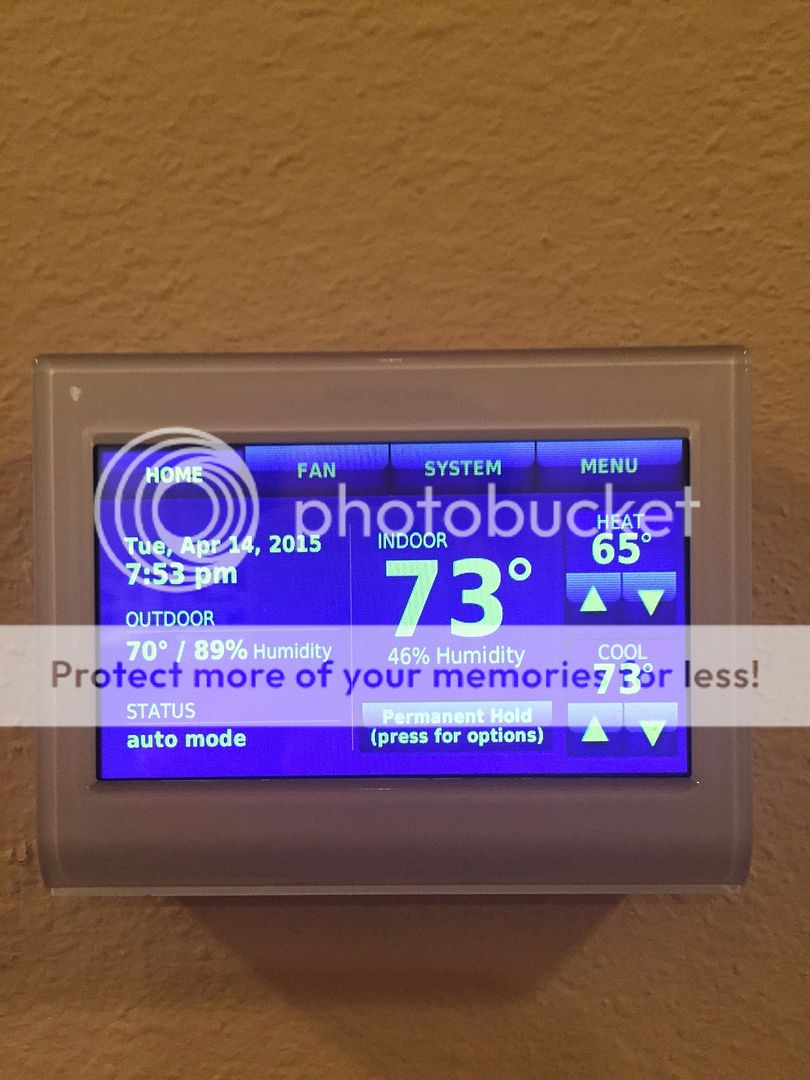
Love my honeywell thermostat
(Purple and gold theme if you can't tell
 )
)This post was edited on 4/14/15 at 7:55 pm
Posted on 4/14/15 at 7:56 pm to nino2469
Email me. I've done 4 units now and I can walk you through it.
I've got an extra add a wire kit I'll sell you for nothing if you need it.
<---@live.com
I've got an extra add a wire kit I'll sell you for nothing if you need it.
<---@live.com
Posted on 4/14/15 at 8:00 pm to CAD703X
Nino take a photo of your wiring behind the thermostat itself too. I need to see what they look like at the unit too.
It's really easy. I pulled them out of my old house and had to reinstall with 2 HVACs.. One Propane furnace and one complicated heat pump but they were still a snap to install.
It's really easy. I pulled them out of my old house and had to reinstall with 2 HVACs.. One Propane furnace and one complicated heat pump but they were still a snap to install.
This post was edited on 4/14/15 at 8:01 pm
Posted on 4/14/15 at 8:06 pm to CAD703X
If you don't feel like adding wire or using the add a wire, you can switch the manual fan on wire and do it with 4 wires.
You just lose the ability to manually turn the fan on.
You just lose the ability to manually turn the fan on.
Posted on 4/14/15 at 8:11 pm to CP3
I considered doing that
Posted on 4/14/15 at 8:15 pm to Tigeralum2008
quote:
All I do is fire up my app and dial down the stat... friggin great
Yep. Before I had a chance to install them we had an ice storm right after closing on our house which kept us from getting over to it for a couple days. As a result our profane furnace ran constantly and suxked the tank dry because I couldn't remotely turn it off or down.
Sucked.
Will never happen again.
This post was edited on 4/14/15 at 8:17 pm

 Page 3 of 4

Popular
Back to top
 Follow TigerDroppings for LSU Football News