


- My Forums
- Tiger Rant
- LSU Recruiting
- SEC Rant
- Saints Talk
- Pelicans Talk
- More Sports Board
- Coaching Changes
- Fantasy Sports
- Golf Board
- Soccer Board
- O-T Lounge
- Tech Board
- Home/Garden Board
- Outdoor Board
- Health/Fitness Board
- Movie/TV Board
- Book Board
- Music Board
- Political Talk
- Money Talk
- Fark Board
- Gaming Board
- Travel Board
- Food/Drink Board
- Ticket Exchange
- TD Help Board
Customize My Forums- View All Forums
- Show Left Links
- Topic Sort Options
- Trending Topics
- Recent Topics
- Active Topics
Started By
Message
re: Plasma TV question, any way to unburn black bars?
Posted on 1/6/17 at 10:46 am to Gaston

Posted on 1/6/17 at 10:46 am to Gaston
lol. Someday you'll enter the modern century. 
ETA: Not meant as a criticism. I used a CRT projector in my theater for a long time until I felt that the black level of digital projectors had reached a level that I could live with. I also couldn't stand the screen door effect or the RGB problem from the spinning wheel of the earlier DLP projectors.
ETA: Not meant as a criticism. I used a CRT projector in my theater for a long time until I felt that the black level of digital projectors had reached a level that I could live with. I also couldn't stand the screen door effect or the RGB problem from the spinning wheel of the earlier DLP projectors.
This post was edited on 1/6/17 at 10:52 am
 0
0



Posted on 1/6/17 at 10:51 am to junkfunky
quote:
You've never watched a 2.35:1 movie? Are you a poor?
Movies don't have still images, idiot. The only way your TV's get burned in like that is if you watch in widescreen and it has those black bars or if you watch a show that has their logo displayed in the bottom right like the History channel or something.

Posted on 1/6/17 at 11:06 am to TigerTalker16
quote:
Movies don't have still images, idiot.

The black bars at the top and bottom of a 2.35:1 move?
Holy shite

quote:
The only way your TV's get burned in like that is if you watch in widescreen and it has those black bars or if you watch a show that has their logo displayed in the bottom right like the History channel or something.
For reals?
Posted on 1/6/17 at 11:15 am to junkfunky
Well, they do have still images, but what I meant was that the frames are always moving. How many movies do you see one frame or still image sitting there for an hour?
Posted on 1/6/17 at 11:17 am to TigerTalker16
I understand that but the OP is specifically about the black bars from watching 2.35:1 movies.
Posted on 1/6/17 at 11:38 am to junkfunky
And my point is that he shouldn't have bought a widescreen movie knowing he was going to watch it on a plasma screen TV. That's just fricking retarded. Do they even make widescreen DVD's anymore? I don't have a plasma anymore and I buy Blu-Rays because I live in 2017, unlike OP.
Of course those bars are going to burn in when you have this on your plasma screen for two hours
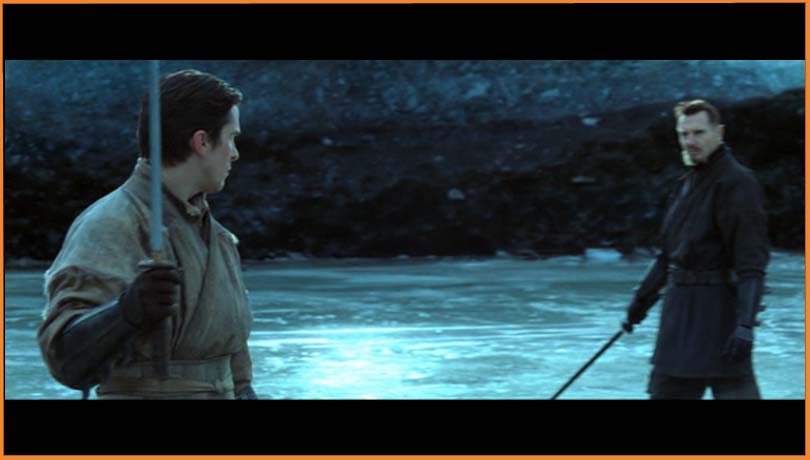
Of course those bars are going to burn in when you have this on your plasma screen for two hours

Posted on 1/6/17 at 12:29 pm to TigerTalker16
Every single HD channel on my TV comes in like this.

My TV is set on 16:9, and my signal is set to 1080i. No other settings seem ideal.
My TV is set on 16:9, and my signal is set to 1080i. No other settings seem ideal.
This post was edited on 1/6/17 at 12:36 pm
Posted on 1/6/17 at 1:05 pm to Gaston
Then your setup is incorrect somewhere. HD is by definition 16:9 content. You need to look at the settings of your cable box/satellite receiver.
ETA: Your cable box or satellite receiver should be set to output "Full" or "Native". Those are the most typical names for 16:9 output.
ETA: Your cable box or satellite receiver should be set to output "Full" or "Native". Those are the most typical names for 16:9 output.
This post was edited on 1/6/17 at 1:15 pm

Posted on 1/6/17 at 1:16 pm to Gaston
Bob Dylan? really? dude sucks
Posted on 1/6/17 at 1:17 pm to Gaston
quote:
My TV is set on 16:9, and my signal is set to 1080i. No other settings seem ideal.
That isn't 1080i being displayed in that image. You are cropping the top and bottom with the black bars.

Posted on 1/6/17 at 2:08 pm to VABuckeye
Well IDK, there're no other display options. My Guide on the UVerse signal isn't limited to within the black bars, it uses the entire screen.
Posted on 1/6/17 at 2:22 pm to VABuckeye
Goddammit, I had my UVerse box connected with coax...when I plug the HDMI cable from my AppleTV into the box I get full screen.
I only have one HDMI port, so I have to find some component cables to watch it like this all of the time.
shite.
I only have one HDMI port, so I have to find some component cables to watch it like this all of the time.
shite.


Posted on 1/6/17 at 2:23 pm to Gaston
Or step into 2017
Posted on 1/6/17 at 2:31 pm to Gaston
If you have any composite cables laying around you can use three of them. The TV doesn't care what color the connectors are labeled as long as they are connected correctly.
At least we found the issue.
At least we found the issue.
Posted on 1/6/17 at 2:34 pm to VABuckeye
Well the coax transmitted sound to my TV so I could use the RCA out from my box to my stereo...now those need to go to my TV. I can't use the optical out because my DAC already gets that from my Airport Express. Oh well.
Posted on 1/6/17 at 2:42 pm to Gaston
How old is it?
I ran a color pattern for a few hours, but also mine has an antiburn feature
I had the Gears of War body counter burn in when I first got it, but eventually it went away
I ran a color pattern for a few hours, but also mine has an antiburn feature
I had the Gears of War body counter burn in when I first got it, but eventually it went away
Posted on 1/6/17 at 2:43 pm to VABuckeye
So, I fricked up my TV?
Will it fade over time?
Will it fade over time?
Posted on 1/6/17 at 2:46 pm to Gaston
quote:
So, I fricked up my TV?
Will it fade over time?
no - do you get youtube on your tv?
search image retention or anti image retention
play it but make sure it is full screen
Posted on 1/6/17 at 2:50 pm to Gaston
Sorry to laugh, but I'm really curious how long you've had your tv set up like this. It would've driven me crazy to watch everything in that letterbox mode.
BTW, I have a Samsung Plasma and it has a burn in protection mode. You might need to search your menu, but I think it's called Scrolling. Here is a LINKthat shows one way to find it (yours might not be the same).
BTW, I have a Samsung Plasma and it has a burn in protection mode. You might need to search your menu, but I think it's called Scrolling. Here is a LINKthat shows one way to find it (yours might not be the same).
This post was edited on 1/6/17 at 2:53 pm
Posted on 1/6/17 at 2:51 pm to AnonymousTiger
I think I got it last football season.

 Page 2 of 3

Popular
Back to top
 Follow TigerDroppings for LSU Football News