




 1
1


- My Forums
- Tiger Rant
- LSU Recruiting
- SEC Rant
- Saints Talk
- Pelicans Talk
- More Sports Board
- Fantasy Sports
- Golf Board
- Soccer Board
- O-T Lounge
- Tech Board
- Home/Garden Board
- Outdoor Board
- Health/Fitness Board
- Movie/TV Board
- Book Board
- Music Board
- Political Talk
- Money Talk
- Fark Board
- Gaming Board
- Travel Board
- Food/Drink Board
- Ticket Exchange
- TD Help Board
Customize My Forums- View All Forums
- Show Left Links
- Topic Sort Options
- Trending Topics
- Recent Topics
- Active Topics
Started By
Message
Images not appearing
Posted on 6/8/26 at 12:21 pm
Posted on 6/8/26 at 12:21 pm
Any suggestions on how to get images to appear? It has been hit or miss lately. I have cleared my cache and I have verified that images are allowed in my settings.
Specifically right now is on the Outdoor Board - Decided I wanted a smoker. So I built one
Thanks
Specifically right now is on the Outdoor Board - Decided I wanted a smoker. So I built one
Thanks
This post was edited on 6/8/26 at 12:24 pm
Posted on 6/8/26 at 1:31 pm to Touche Pas Ca
quote:
I have cleared my cache
On what?
Desktop or mobile?
Which browser are you using?
Post an example image link that's not working.
Posted on 6/8/26 at 2:09 pm to paperwasp
On what? - Desktop PC
Which browser are you using? Chrome
Post an example image link that's not working. From the first post on the ODB
Which browser are you using? Chrome
Post an example image link that's not working. From the first post on the ODB
Posted on 6/8/26 at 2:55 pm to Touche Pas Ca
quote:
quote:
The image hosting domain imgbb.com is frequently flagged by antivirus programs like Malwarebytes due to its history of hosting malicious files and deceptive ads. While not inherently a virus, the site's unregulated nature makes it a prime vector for malware, phishing, and adware.
Do you have antivirus software installed that may have recently updated?
What happens if you follow the link below (can you see the image directly)?
LINK
Posted on 6/8/26 at 3:00 pm to paperwasp
quote:
It has been hit or miss lately
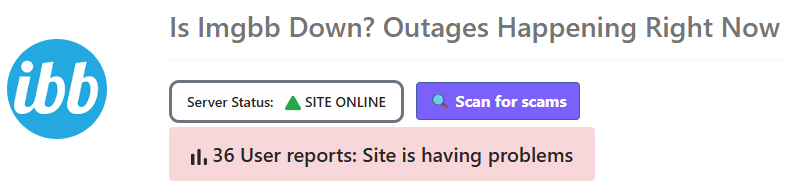
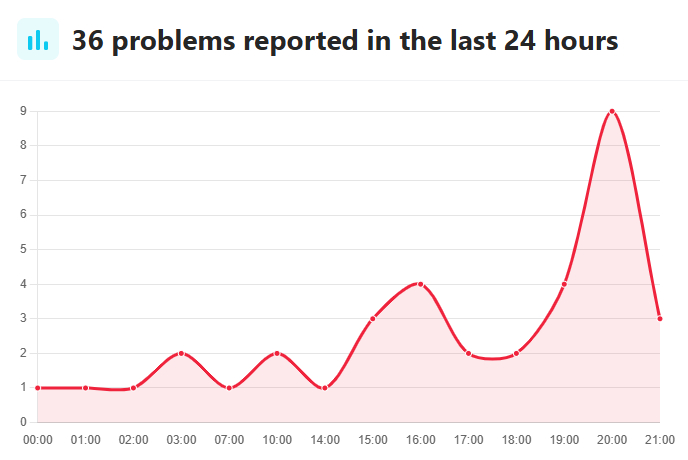
There's also a chance the site is just down. Looks like maybe there have been some issues recently.
Posted on 6/8/26 at 4:01 pm to paperwasp
Do you have antivirus software installed that may have recently updated? no, I have used Windows Security that came with the computer
What happens if you follow the link below (can you see the image directly)?
I get the This site can’t be reached error message
What happens if you follow the link below (can you see the image directly)?
I get the This site can’t be reached error message
Posted on 6/8/26 at 4:21 pm to Touche Pas Ca
That's weird.
Try this:
In Chrome, go to Settings > Privacy and security > Third-party cookies > See all site data and permissions
And then scroll down to imgbb or any similar site, select it, and click the trashcan icon.
If you're feeling brave, you can also do the same for tigerdroppings and secrant sites, but you'll have to log back in.
Reboot your computer and try to access those images again.
If the above doesn't work, maybe check out some of the ideas here.
I would at least recommend #1 Restart the DNS client.
Try this:
In Chrome, go to Settings > Privacy and security > Third-party cookies > See all site data and permissions
And then scroll down to imgbb or any similar site, select it, and click the trashcan icon.
If you're feeling brave, you can also do the same for tigerdroppings and secrant sites, but you'll have to log back in.
Reboot your computer and try to access those images again.
If the above doesn't work, maybe check out some of the ideas here.
I would at least recommend #1 Restart the DNS client.
Posted on 6/8/26 at 5:03 pm to paperwasp
I deleted all in the See all site data and permissions then rebooted and logged in - nope
I'll try the other steps later.
Thanks
Oh, I just remembered that I could not see most of the gifs in the fail topic on OTL from Spaceman Spiff - I think that was his handle or close to that
I'll try the other steps later.
Thanks
Oh, I just remembered that I could not see most of the gifs in the fail topic on OTL from Spaceman Spiff - I think that was his handle or close to that

 Page 1 of 1


Popular
Back to top
 Follow TigerDroppings for LSU Football News