




- My Forums
- Tiger Rant
- LSU Recruiting
- SEC Rant
- Saints Talk
- Pelicans Talk
- More Sports Board
- Fantasy Sports
- Golf Board
- Soccer Board
- O-T Lounge
- Tech Board
- Home/Garden Board
- Outdoor Board
- Health/Fitness Board
- Movie/TV Board
- Book Board
- Music Board
- Political Talk
- Money Talk
- Fark Board
- Gaming Board
- Travel Board
- Food/Drink Board
- Ticket Exchange
- TD Help Board
Customize My Forums- View All Forums
- Show Left Links
- Topic Sort Options
- Trending Topics
- Recent Topics
- Active Topics
Started By
Message

Photoshop people...
Posted on 9/13/11 at 9:35 am


Posted on 9/13/11 at 9:35 am
Would like a little help bringing out the detail in the statue in the foreground of this photo without affecting the rest of the photo.
I suck at photo editing.
Link to original file
I suck at photo editing.
Link to original file
 6
6


Posted on 9/13/11 at 9:53 am to LuckySo-n-So
About the best I can do
This post was edited on 9/13/11 at 9:55 am


Posted on 9/13/11 at 9:53 am to LuckySo-n-So
Quick Effort for you. I'm at work right now
and between assignements. Would like to spend
some more time on this on later on.
and between assignements. Would like to spend
some more time on this on later on.
Posted on 9/13/11 at 9:59 am to LuckySo-n-So
If you like it, post an e-mail address and I'll send you the larger file. I've only got the cheap (free) account at imageshack and it's over 5 megs, so I can't load it......

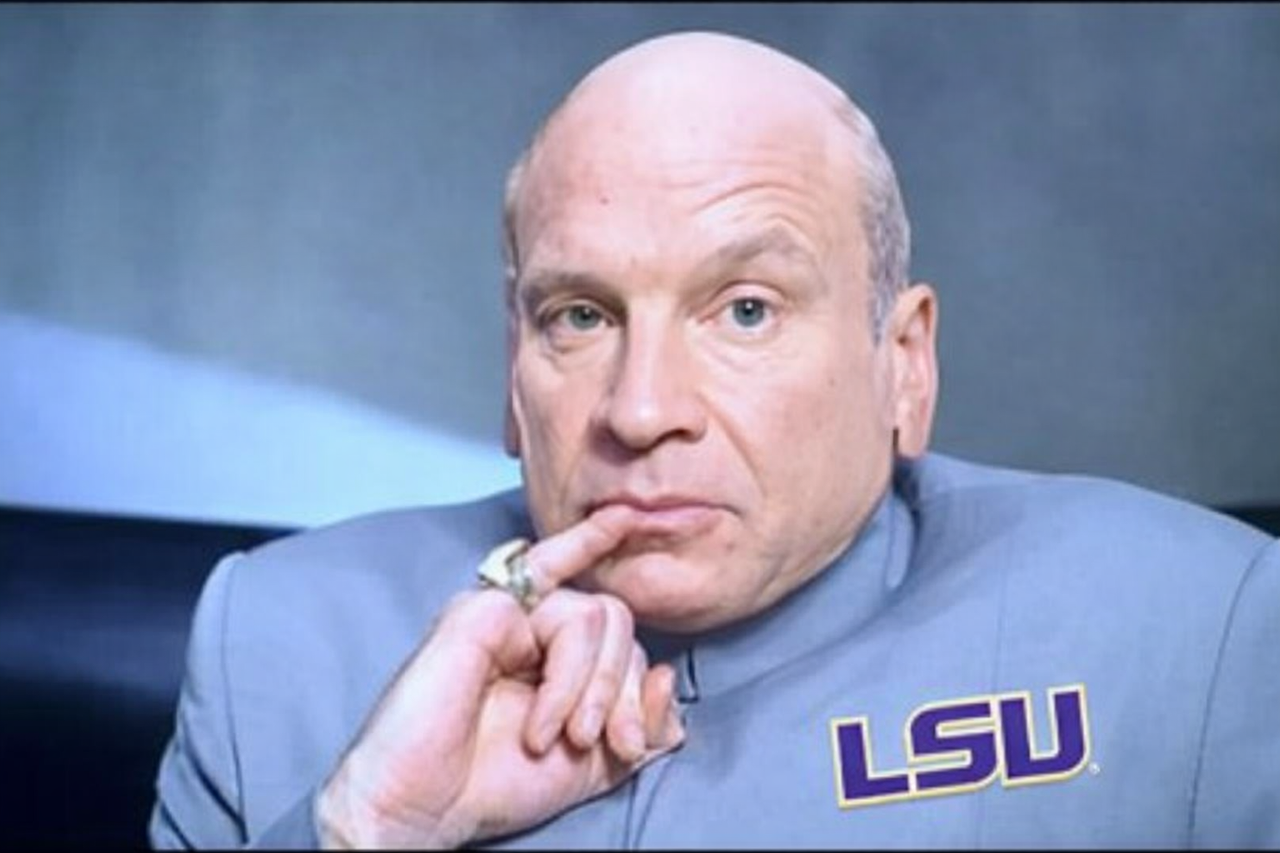
Posted on 9/13/11 at 10:26 am to jpbTiger
I think jpbTiger's wins. 
Posted on 9/13/11 at 10:35 am to xGeauxLSUx
Thanks! 
But give Spurticus some time to work on it, and some others too - there are some true artists on this board, surprisingly enough!
But give Spurticus some time to work on it, and some others too - there are some true artists on this board, surprisingly enough!

Posted on 9/13/11 at 10:36 am to LuckySo-n-So
I'm just learning to do this so I gave it a shot. Found out it isn't a quick thing.
eta: softened edges
eta: softened edges
This post was edited on 9/13/11 at 10:55 am
Posted on 9/13/11 at 10:43 am to tetu
quote:
tetu
Cool - i like the color/hue/tint or whatever on the statue - if I can make a suggestion, if you've still got it saved in photoshop or GIMP format in layers, maybe take the eraser tool (with soft edges) around the outside of the statue to make it a little smoother, and that's definitely a cool pic!
Posted on 9/13/11 at 10:45 am to tetu
I think this is a little better
Posted on 9/13/11 at 10:47 am to jpbTiger
really? I thought it looked off so I put it more gray and feathered the edges. I'll go back and feather the edges to the first one also.
Thanks for the vote of confidence
Thanks for the vote of confidence

Posted on 9/13/11 at 10:52 am to tetu
I like it!
The other thing I cheated on is taking the color select (magic wand looking thingy) and selecting the sky, and then adjusting the color to make the sky more blue.....
The other thing I cheated on is taking the color select (magic wand looking thingy) and selecting the sky, and then adjusting the color to make the sky more blue.....
Posted on 9/13/11 at 10:56 am to jpbTiger
ahh, nice trick.
Posted on 9/13/11 at 11:03 am to tetu

Posted on 9/13/11 at 4:54 pm to jpbTiger
Posted on 9/13/11 at 5:31 pm to LuckySo-n-So
where is this? I'm guessing florence.
To get an idea of how big it is, you can see people at the top of the clay shingles. Pretty cool
To get an idea of how big it is, you can see people at the top of the clay shingles. Pretty cool
Posted on 9/13/11 at 5:58 pm to tetu
Only thing about your Spartacus, the shadows don't match. The dome is lite from the right and the statue is lite from the left (IMO).
Other than the feathering (or lack of it), I think jpbTiger's first one has the best light without looking fake.
Other than the feathering (or lack of it), I think jpbTiger's first one has the best light without looking fake.
This post was edited on 9/13/11 at 6:01 pm
Posted on 9/13/11 at 6:14 pm to theantiquetiger
I didn't add any shadow to either photo.
Took the original photo and made a couple of
layer copies. Once I got the statue defined
and colored, I just erased the dark statue
out of the top layer to reveal the colored
and defined Statue below. The only thing I did
other than that was get rid of the pigeon crap
and very slightly blured the building (top
layer) to make the statue more defined, then
flatened it.
Took the original photo and made a couple of
layer copies. Once I got the statue defined
and colored, I just erased the dark statue
out of the top layer to reveal the colored
and defined Statue below. The only thing I did
other than that was get rid of the pigeon crap
and very slightly blured the building (top
layer) to make the statue more defined, then
flatened it.
This post was edited on 9/13/11 at 6:15 pm
Posted on 9/14/11 at 11:01 am to Spurticus
Nice pic of Brunelleschi's Cupula
Here is my take on it...
This image is a saved smaller version of the original linked file. If you like this one, let me know and we'll figure out a way to get you the file saved in your original linked 4288x2848 size...
Here is my take on it...
This image is a saved smaller version of the original linked file. If you like this one, let me know and we'll figure out a way to get you the file saved in your original linked 4288x2848 size...
This post was edited on 9/14/11 at 11:19 am
Posted on 9/14/11 at 1:02 pm to LuckySo-n-So
wow. you posted the link to your flickr account and no one has farked any of the wedding pictures on there yet.
that's kind of rare around here.
that's kind of rare around here.
Posted on 9/14/11 at 2:27 pm to TxHillsTiger
Well, since you mentioned it. I was saving it for a later date... First one that caught my funny bone
Source
My take
Source
My take

 Page 1 of 1


Popular
Back to top
 Follow TigerDroppings for LSU Football News